Industry News
KeyShot for Jewelry: Why Professional Rendering Still Matters in the Age of AI
The same 3D ring model can look sophisticated and convincing in one image, and like a cheap toy in another. Sometimes a small change in lighting is all it takes.
· 5 min read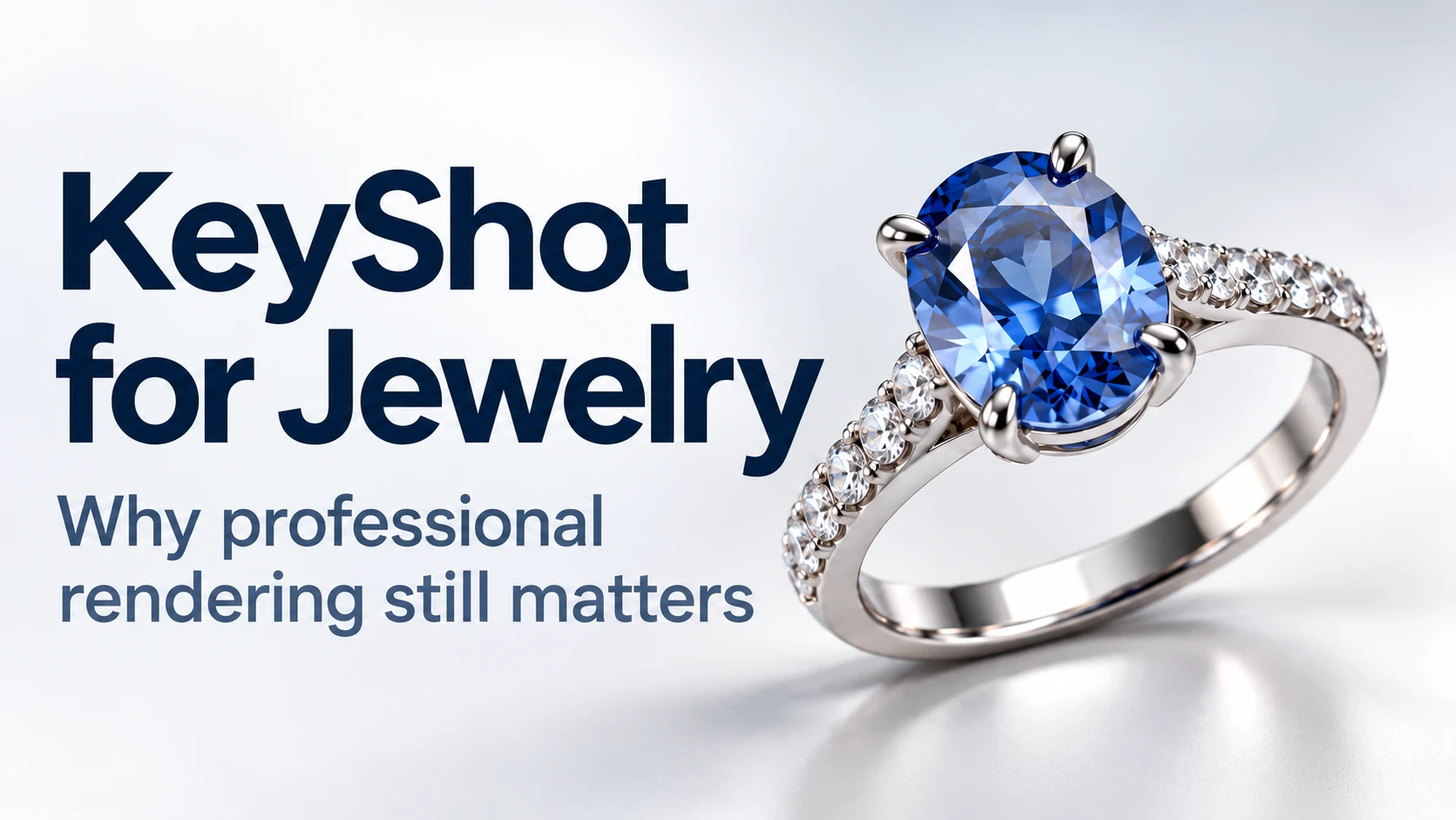
The same 3D ring model can look sophisticated and convincing in one image, and like a cheap toy in another. Sometimes a small change in lighting is all it takes.
Polished metals reflect their surroundings. Gold, silver, platinum, and rhodium-plated surfaces therefore require careful choices of materials and lighting. Gemstones are more demanding still. For a diamond to look believable, reflection, refraction, dispersion, and contrast must work together.
Jewelry visualization has another requirement: an image must do more than look beautiful. It also needs to represent the geometry that will later be used for 3D printing, casting, stone setting, and finishing.
At JewelModel, we have used KeyShot for many years to present jewelry models, review custom designs with clients, and create product images for online sales. Rendering has long been more than the final step after modeling. It helps us explain designs, discuss revisions, and present products convincingly.
Today, generative AI can produce attractive jewelry images in seconds. That raises an important question: what role does professional rendering still play?
Why Jewelry Is Particularly Challenging to Render
The challenge lies in combining materials with very different optical properties and extremely fine details. A single piece may feature polished metal, matte or oxidized surfaces, transparent gemstones, tiny prongs, engraving, and sculpted ornament. Even small lighting mistakes become particularly noticeable.
If the lighting is too flat, polished metal loses its shape. The wrong reflections can make gold look like yellow plastic. Without enough contrast, diamonds can resemble glass. Excessive highlights, on the other hand, can make an image look artificial.
KeyShot lets us control materials, lighting, HDRI environments, reflections, and camera settings. Its dedicated Gem material includes parameters such as the refractive index and Abbe number, both relevant to how light behaves in gemstones. Dispersion is responsible for the colored flashes of light often described as a diamond’s “fire.”
These settings are explained in KeyShot’s documentation for the Gem material. Yet even physically plausible material settings do not guarantee a good image. What the metal and gemstones reflect is just as important.
We see this especially clearly with silver jewelry featuring sculpted relief. We frequently visualize pieces with blackened or oxidized areas. Bright polished edges, dark recesses, and subtle transitions must be balanced so that the relief remains readable. A standard silver material does not always achieve this.
That is why we create and save our own materials for reuse in future projects. It saves time and helps maintain a consistent visual style. Consistency is particularly important in a jewelry catalog: if gold looks different in every product image, the collection quickly feels disjointed.
The Geometry Has to Be Right
In jewelry design, small details can determine whether a piece can be manufactured. Stone sizes, prong positions, ring shank width, setting construction, and technical clearances are all defined in the CAD model.
With conventional rendering in KeyShot, the imported 3D geometry is the foundation of the image. If a ring has six prongs, the rendered ring still has six. If the arrangement of the stones has been specified, the software does not independently change it.
This matters particularly for custom orders. The client should not be approving a freely interpreted design concept. They need to understand what the actual, constructed piece will look like.
Of course, even an accurate rendering is not a substitute for a physical sample. The appearance of real metal, natural gemstones, and hand-finished surfaces cannot be predicted perfectly. But the model’s geometry and proportions remain clear and traceable.
This is a major difference from freely generated AI images. An AI system may produce an attractive result while subtly changing the number of stones, the shape of the prongs, the proportions, or individual decorative details.
During early concept development, this freedom can be useful. Once a client is approving a production-ready design, however, those deviations must be avoided or carefully checked.
We therefore see AI as a complement to reliable CAD visualization, not a replacement for it.
From a Technical CAD Model to a Clear Client Presentation
Someone who designs jewelry every day can often assess a piece directly in Rhino’s gray modeling viewport. For many clients, this is much harder. They see surfaces, edges, and technical details, but may struggle to imagine the finished piece.
In our work, the way a design is perceived often changes as soon as we bring it from Rhino into KeyShot, apply suitable materials, and set up the lighting.
A technical model becomes a presentation that closely resembles a finished ring, pendant, or pair of earrings. Proportions, material combinations, and design details become much easier to discuss.
Material variations are also quick to prepare. We can show the same ring in yellow, white, and rose gold without manufacturing three physical samples. That makes approvals much easier for custom projects.
Rhino has been our main CAD tool for more than ten years. The combination with KeyShot has proved effective because the programs serve different purposes. In Rhino, we create production-ready geometry. In KeyShot, we present it in a way that helps the client evaluate the design.
How Renderings Help Sell Jewelry 3D Models
For JewelModel, renderings also have direct commercial value.
Someone buying an STL or 3DM file is purchasing a digital model but is already thinking about the finished piece. They need to imagine how the design will look after 3D printing, casting, polishing, and stone setting.
A good rendering reveals the proportions, materials, and character of the design. After many years of selling jewelry 3D models on different platforms, we know how much presentation matters. Even a well-constructed model can be overlooked if technical views alone fail to show its potential.
However, we do not believe that attractive renderings alone are enough. On JewelModel, we combine photorealistic images with genuine CAD screenshots and accurate technical specifications whenever possible.
Each serves a different purpose. The rendering shows how the finished jewelry could look. CAD views reveal the actual geometry. The specifications help a buyer assess whether the model is suitable for the intended manufacturing process.
A beautiful image should never conceal design weaknesses. When someone purchases a digital file, they need to know what they are getting.
This is how we present models on the JewelModel marketplace.
Virtual Inventory: Manufacturing Jewelry Only After an Order
Another use for KeyShot is selling jewelry that initially exists only as a digital model.
In a traditional workflow, a retailer may need to manufacture, finish, set stones in, and professionally photograph a new piece before offering it online. Across dozens or hundreds of designs, this requires substantial investment before it is clear which products will actually sell.
With a production-ready CAD model and a high-quality rendering, that sequence can change. A retailer can offer designs digitally and manufacture each piece only after an order arrives.
This approach is often called virtual inventory. Some jewelry sellers already use it on Etsy and in their own online stores. It allows them to present a broader selection without physically producing every design in advance.
Reliable manufacturing and clear product information are essential. When implemented properly, however, this model can substantially reduce the capital needed to introduce a new collection.
KeyShot is particularly useful here because the same 3D model can serve as the basis for both manufacturing and sales imagery.
Real product photography is not made obsolete by this approach. Especially with high-value jewelry featuring natural gemstones, buyers may want to see the actual piece. During development and when testing new designs, however, rendering can considerably reduce the need for samples and photo shoots.
We explore this approach in more detail in our guide to selling jewelry on Etsy with virtual inventory.
Where Artificial Intelligence Adds Value
Generative AI is already changing image production in e-commerce. Such tools can be useful for early design ideas, backgrounds, advertising visuals, and exploring different visual styles.
But whenever a particular piece of jewelry must be shown accurately, control over its geometry remains critical.
KeyShot is also developing its own AI tools. One example is AI Shots, which can generate images based on the active CAD model. According to KeyShot, the approach is intended to reduce unwanted changes to the model, with processing performed locally on the user’s computer.
There is an introduction to the feature on the official KeyShot blog about AI Shots.
It is still too early to say whether, or to what extent, these tools will replace conventional rendering workflows. For the jewelry industry, what matters most is that a faster process should not come at the expense of geometric accuracy.
We see AI’s greatest potential in speeding up presentation, exploring new environments, and helping develop visual ideas, without losing control over the underlying model.
What Makes a Good Jewelry Rendering
A convincing result does not come from software alone. Even with excellent materials, poor lighting or an unsuitable camera angle can undermine the appearance of a piece.
Controlled reflections are especially important because they reveal the shape of polished surfaces. The camera angle also needs to suit the design. A dramatic perspective may not accurately convey a ring’s proportions or the details of a setting. Several views are therefore often needed for a complete presentation.
Gemstones call for restraint. Exaggerated flashes and artificially amplified sparkle may attract attention, but they can make a rendering look less believable.
In our experience, good rendering should not get lost in visual effects. Viewers should be able to imagine that exact piece of jewelry in front of them.
One of the most useful skills when working with KeyShot is knowing when to stop making adjustments.
Conclusion
Over the years we have worked with KeyShot, we have found that it does far more than create attractive product images.
For CAD designers, it simplifies design reviews with clients. Jewelry brands can present new designs before manufacturing them. And when selling digital models, a good rendering helps buyers understand and appreciate what the finished piece could become.
Generative AI is opening up new possibilities, which we are following with interest. In our day-to-day work, however, accurate CAD geometry remains the foundation.
That is why we continue to use KeyShot to present real, production-ready jewelry models as clearly and convincingly as possible.
Disclosure: JewelModel is a KeyShot partner. This article is based on our hands-on experience with the software.