Why Your 3DM File Won’t Open: The Rhino Version Conflict and How to Fix It
· 4 min read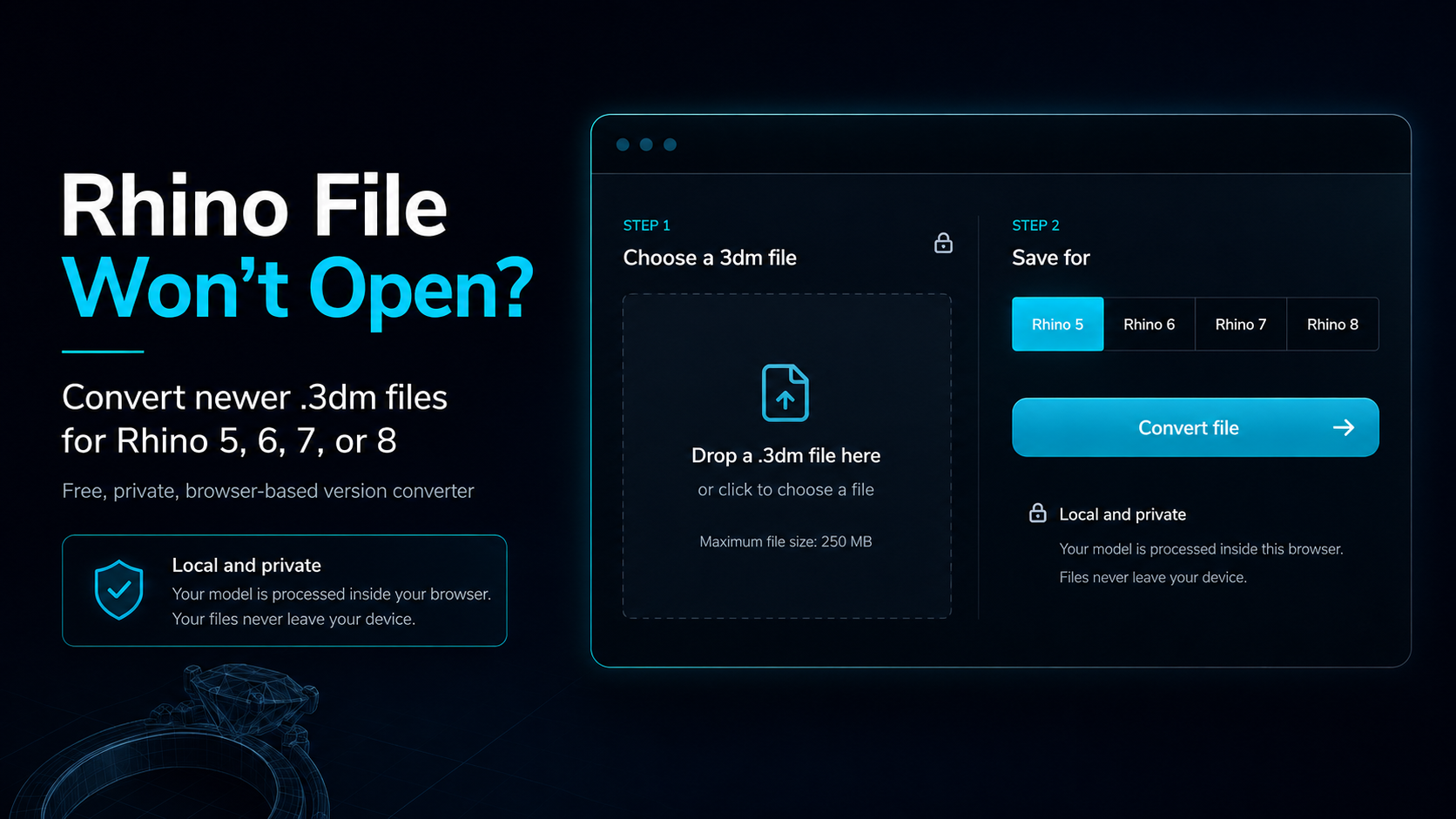
The Sinking Feeling of a File That Won’t Open
Imagine this: you’ve just found the perfect 3D model for your next jewelry piece. It could be a stunning Antique Filigree Scrollwork Wedding Band Set or a detailed pendant you’ve been searching for. You purchase the .3dm file from a marketplace, download it, and try to open it in your Rhinoceros 3D software. But instead of your exciting new design, you get an error message: "Cannot read file. This is not a Rhino file or the file is a later version."
This is a common and frustrating problem for jewelry designers. It almost always means the 3D model was saved in a newer version of Rhino (like Rhino 8) than the one you are running (perhaps Rhino 5 or Rhino 6). Older Rhino versions cannot directly open files saved in a newer .3dm archive version; newer Rhino versions can open files from earlier versions. This can bring your entire production workflow to a halt, especially when you have a client waiting.
Understanding Rhino File Version Incompatibility
Rhino 3D is a cornerstone of digital jewelry design, as we explored in our article, Rhinoceros 3D: The Digital Heartbeat of Modern Jewelry Design. However, with each major update—from Rhino 5 and Rhino 6 to the latest Rhino 8—the file structure evolves. When a designer saves a .3dm file, it’s tagged with the version of the software they used. If you try to open a rhino8 file in rhino6, the older program simply doesn’t understand the new data.
This creates a significant challenge when buying and selling models online. Designers using the latest software might forget to save their files in an older, more compatible format. As a buyer, you’re left with a file you can’t use. You could ask the seller to re-save it, but that can take hours or even days. If you need that file for a casting run, you don’t have time to wait. That’s why having a wide selection of models, like those in the JewelModel marketplace for ring models, is great, but only if you can open them.
The Solution: A Free Browser-Based 3DM Version Converter
To solve this widespread issue, we developed a simple and powerful tool: the Free Online Rhino Version Converter.
The converter is free and processes your model in your browser. It saves .3dm archives for Rhino 5, 6, 7, or 8. Here’s how it works:
- Go to the converter page: Navigate to the Rhino Version Converter on the JewelModel website.
- Open Your File: Drag and drop your
.3dmfile into the file area. The browser reads it and shows its source version and geometry summary. - Choose Your Target Version: Select Rhino 5, 6, 7, or 8 as the target archive version required by the person or system that will open the file.
- Convert, Check, and Download: The tool writes the selected archive version, reopens the result, and checks its archive version and object count. Download the converted copy and inspect it in the target Rhino version. Newer SubD, annotations, materials, textures, and rendering data may be simplified or omitted; plug-in-specific data may require the same plug-in. Keep the original file.
Looking for great designs to work with? Try converting a complex piece like the Gothic Skeletal Rib Cage Bone Ring to see how it works.
Your Privacy is Paramount: On-Device Conversion
Your model file is processed locally in your browser. Reading, conversion, verification, and download preparation do not require uploading the model to JewelModel servers.
Streamline Your Jewelry Design Workflow
Don't let file incompatibility slow you down. Whether you’re a designer preparing files for sale or a jeweler trying to use a purchased model, our converter removes the friction. Now you can confidently browse our extensive catalog, from intricate pendants to bold statement pieces like the Sculpted Panther Wildlife Animal Ring, while checking that each file’s features are supported by the Rhino version used in your workflow.
This tool is part of our commitment to supporting the jewelry design community, just like our guides on topics such as selling jewelry 3D models online. And if you have a unique vision that needs to be built from scratch, our custom 3D modeling service is always available to bring your ideas to life.